Skip to content

Powering your Apps

with Power Apps, Power Automate, SharePoint

  • Blogs
  • Talks
  • Meetups
  • Music

Category: Blog

August 9, 2024 Blog

OData Filter Queries for People Fields in Power Automate

Why Use OData Filter Queries? OData (Open Data Protocol) allows you to define filtering conditions directly in your queries, minimizing

Continue reading

July 30, 2024 Blog

JSON formatting – IMDb Movie Listing Template

Tracking and displaying movie details in a dynamic, engaging way can enhance your movie-watching experience or even help manage a

Continue reading

July 26, 2024 Blog

JSON Formatting – Match Score Summary Template

Building a Match Score Summary Dashboard with SharePoint List View JSON Sports bring people together, and keeping track of match

Continue reading

July 22, 2024 Blog

JSON formatting – Property Listing Template

Managing property listings efficiently and presenting them in a visually appealing way can make a huge difference, whether you’re in

Continue reading
July 20, 2024 Blog

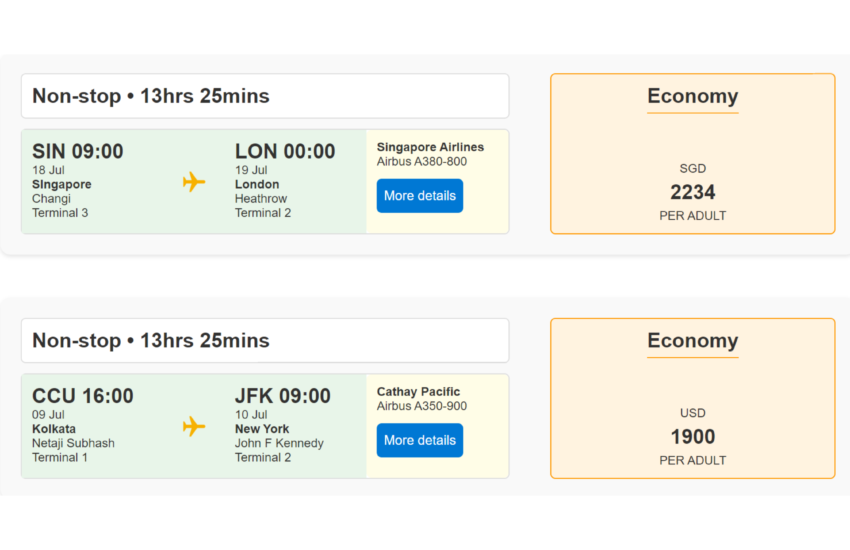
JSON Formatting – Flight Search

Searching for flights and managing travel details can often be a cumbersome process. With the help of SharePoint List view

Continue reading

July 9, 2024 Blog

Handling Multi Choice fields from SharePoint when sending emails

Introduction One common requirement is to send automated email notifications based on data stored in SharePoint lists. However, dealing with

Continue reading

July 8, 2024 Blog

Using Hyperlinks in List view JSON to Apply Filters

Creating hyperlinks in JSON to apply filters on a SharePoint list column can enhance the interactivity and user experience of

Continue reading

May 22, 2024 Blog

Comparing SharePoint list item values against another list

Businesses often face scenarios where they need to compare items across two SharePoint lists to identify discrepancies, synchronize data, or

Continue reading
May 13, 2024 Blog

Sending one email to approvers for multiple list items

Imagine you’re part of a project management team working on multiple projects simultaneously. Your team uses a SharePoint list to

Continue reading

May 8, 2024 Blog

Move a file in Flow using REST api

Leveraging its capabilities through REST API opens up a world of possibilities, enabling users to manipulate files with ease. One

Continue reading

Posts pagination

«Previous Posts 1 2 3 4 … 8 Next Posts»

Sudeep Ghatak

Power Platform Super User

Author of

Archives

  • March 2026 (1)
  • February 2026 (1)
  • November 2025 (3)
  • February 2025 (2)
  • January 2025 (1)
  • September 2024 (1)
  • August 2024 (3)
  • July 2024 (6)
  • May 2024 (4)
  • April 2024 (2)
  • March 2024 (1)
  • February 2024 (3)
  • January 2024 (2)
  • December 2023 (1)
  • November 2023 (3)
  • October 2023 (5)
  • September 2023 (5)
  • August 2023 (4)
  • July 2023 (8)
  • June 2023 (5)
  • April 2023 (2)
  • March 2023 (1)
  • February 2023 (4)
  • January 2023 (2)
  • December 2022 (1)
  • November 2022 (4)
  • October 2022 (2)
  • August 2020 (1)
  • February 2020 (1)
  • October 2019 (1)
  • September 2019 (1)
  • May 2019 (1)
  • February 2019 (1)
  • November 2018 (2)
  • October 2018 (1)
  • August 2018 (1)
  • July 2018 (1)
  • May 2018 (4)
  • March 2018 (1)

Categories

  • Blog (79)
  • Bootcamps (1)
  • Meetup (5)
  • Music (1)
  • Talk (6)
  • Uncategorized (1)

Tags

Azure (9) Azure AD (1) Case Study (1) Cognitive Services (5) Copilot Studio (3) Dataverse (1) Filter (1) Flow (7) json formating (6) OData (1) Outlook (1) PowerApps (10) Power Automate (59) SharePoint (31) Teams (2)
WordPress Theme: Maxwell by ThemeZee.